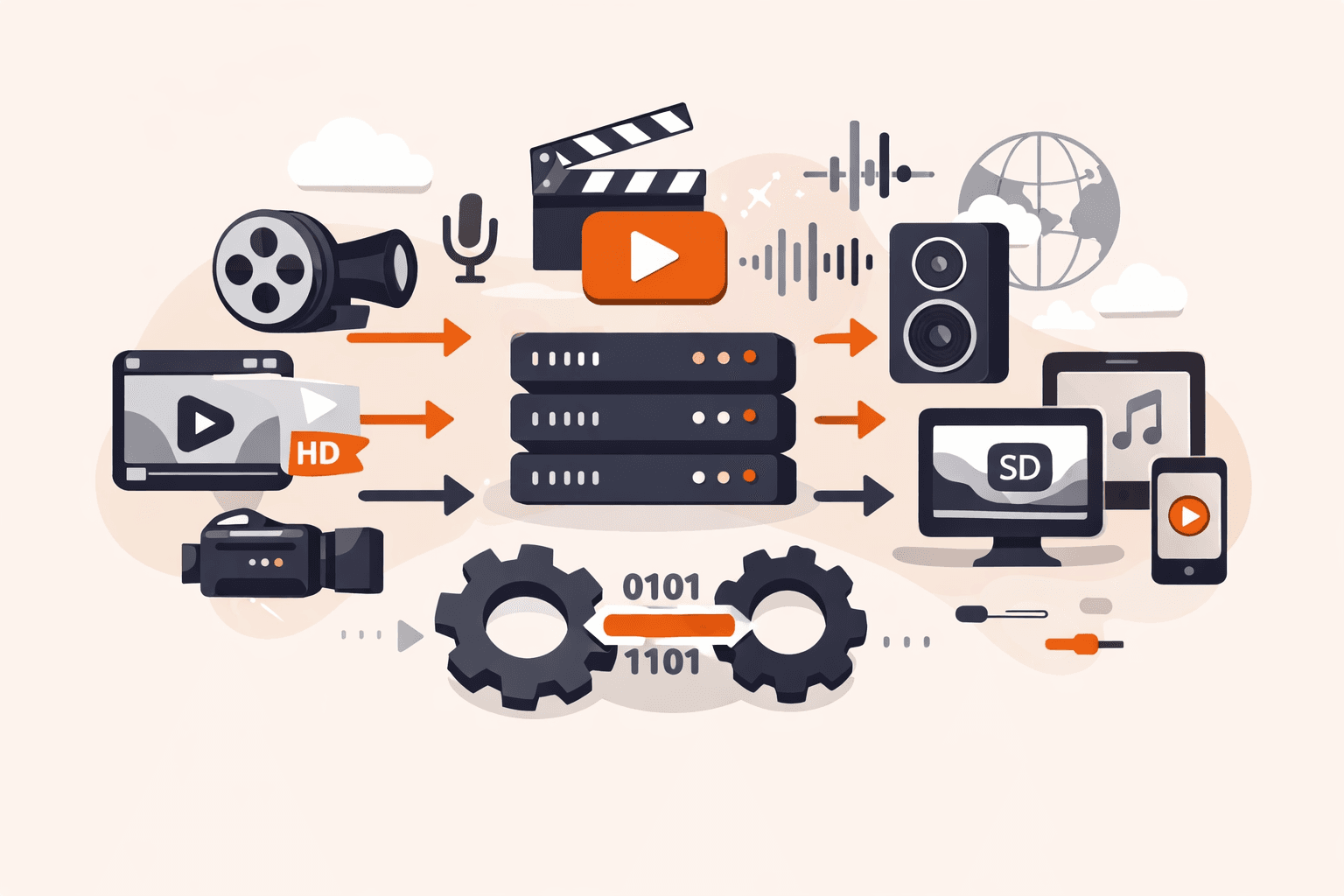
You're watching a video on your phone during your commute when it suddenly buffers, pixelates, and freezes, despite having full bars. Meanwhile, your friend streams the same content flawlessly on their laptop at home. Behind the scenes, streaming platforms like Youtube convert their content into multiple versions at different resolutions and bitrates, creating adaptive streams that flexibly switch based on your internet speed. Without this conversion process, you'd either face constant buffering or be locked out of content entirely because your device doesn't support the original format.
The challenge isn't just about smooth playback. Content creators and distributors need their videos accessible on smartphones, tablets, computers, and SmartTVs across different regions. They're also racing to reduce file sizes and bandwidth costs while maintaining quality for millions of simultaneous viewers.
You'll discover how this media conversion process works, why it's essential for modern streaming and content distribution, and what technologies power the seamless viewing experience you expect across all your devices.
What is transcoding?
Transcoding converts digital media files from one encoding format to another. Think of it like changing an H.264 video to H.265 or an MP3 audio file to AAC.
You'll see transcoding in action when streaming services like Netflix convert their content for playback across TVs, smartphones, and tablets. It creates multiple versions of the same video at different resolutions and bitrates, which enables adaptive bitrate streaming that switches quality based on your internet speed. This keeps playback smooth whether you're on fast fiber or a slower mobile connection.
How does transcoding work?
Transcoding converts a media file from one encoding format to another through three steps: decoding, processing, and re-encoding. The system first decodes the original file into an uncompressed intermediate format.
During the processing stage, the software adjusts parameters like bitrate, resolution, frame rate, or codec settings based on your target requirements. You might reduce a 4K video to 1080p for mobile devices.
The final step re-encodes the processed file into your target format. This compression stage applies the new codec and settings, creating an optimized version that matches the platform's specifications. For adaptive bitrate streaming, transcoding generates multiple versions of the same content at different quality levels, say, 360p, 720p, and 1080p, so viewers automatically get the best stream their bandwidth can handle.
The entire process requires significant computational power, especially for video files with high resolutions or complex codecs. That's why streaming platforms automate transcoding workflows to handle thousands of files simultaneously, ensuring content reaches every device type without playback issues.
What are the main benefits of transcoding?
Transcoding benefits span compatibility, efficiency, and user experience improvements that matter when you're delivering media content across different platforms and devices. The main benefits are listed below.
- Device compatibility: Transcoding lets you convert media files into formats that work across smartphones, tablets, smart TVs, and desktop computers. A single master file can be transformed into multiple versions, ensuring your content plays smoothly regardless of what device your audience uses.
- Bandwidth optimization: By creating lower-bitrate versions of your content, transcoding reduces the amount of data transmitted during playback. This cuts bandwidth costs for content delivery and makes streaming accessible to users on slower internet connections or mobile data plans.
- Adaptive streaming: Transcoding creates multiple quality versions at different resolutions and bitrates. Streaming platforms can then switch between these versions in real time based on each viewer's current network conditions, preventing buffering and maintaining smooth playback.
- Storage efficiency: More efficient codecs like H.265 compress video files to smaller sizes while maintaining quality. Transcoding older content from H.264 to H.265/AV1 can reduce storage requirements by 40% to 50%, lowering infrastructure costs for large media libraries.
- Platform compliance: Social media platforms, streaming services, and mobile apps each have specific format requirements for uploaded content. Transcoding ensures your files meet these technical specifications, preventing rejection or quality degradation during platform processing.
- Faster delivery: Smaller transcoded files transfer more quickly from servers to end users. This reduces initial buffering time and improves the overall viewing experience, particularly for users in regions with limited network infrastructure.
What are the key transcoding formats and codecs?
Transcoding formats and codecs determine how video and audio files are compressed, stored, and delivered across different devices and networks. The key formats and codecs are listed below.
- H.264 (AVC): This video codec delivers efficient compression with broad device compatibility, making it the industry standard for streaming platforms and content distribution. It balances file size reduction with quality retention, working across smartphones, tablets, smart TVs, and web browsers. Most streaming services rely on H.264 because it's supported by nearly every modern device.
- H.265 (HEVC): This codec compresses video files up to 50% smaller than H.264 while maintaining the same visual quality, which reduces bandwidth costs and storage requirements. It's particularly useful for 4K and 8K content where file sizes can become prohibitively large. The tradeoff is slower encoding times and limited support on older devices.
- AAC (Advanced Audio Codec): This audio format delivers better sound quality than MP3 at similar bitrates, making it the preferred choice for streaming services and mobile applications. It's the default audio codec for platforms like YouTube and is natively supported by iOS and Android devices. AAC handles low bitrate compression well, which matters for users on limited data plans.
- VP9: Google developed this royalty-free video codec as an alternative to H.265, offering similar compression efficiency without licensing fees. YouTube uses VP9 widely for high-resolution content, and it's supported by most modern browsers. The open-source nature makes it attractive for platforms looking to avoid codec licensing costs.
- HLS (HTTP Live Streaming): This adaptive bitrate streaming protocol breaks video into small chunks and delivers them over standard HTTP connections, enabling smooth playback across varying network conditions. It creates multiple versions of the same video at different quality levels, letting players switch between them in real time. Apple developed HLS, and it's supported across nearly all devices and platforms.
- MP3: Despite being older technology, MP3 remains widely used for audio transcoding because of its universal compatibility and small file sizes. It's ideal for music libraries and podcasts where storage space matters more than pristine audio quality. Converting audio to MP3 ensures playback on virtually any device manufactured in the last 20 years.
- AV1: This next-generation codec offers 30% better compression than H.265 while remaining royalty-free, positioning it as the future of video streaming. Netflix and YouTube have started adopting AV1 for select content, though encoding times are slower than established codecs. As hardware support improves, you'll see wider adoption for bandwidth-intensive applications like 8K streaming.
How to use transcoding best practices?
You use transcoding best practices by analyzing your source files completely before processing, then optimizing each step from decoding through re-encoding to match your target platform requirements.
- Analyze source file specifications first. Check the codec, bitrate, resolution, and frame rate of your original media before you start transcoding. This prevents compatibility issues and helps you choose the right output settings for your target devices.
- Match output formats to your distribution platforms. If you're streaming to mobile devices, transcode to H.264 with lower resolutions like 720p or 480p. For desktop viewers with better bandwidth, create H.265 versions at 1080p or 4K to balance quality with file size.
- Create multiple bitrate versions for adaptive streaming. Generate at least three to five versions of each video at different bitrates, typically ranging from 500 kbps for mobile to 5 Mbps for high-definition playback. This lets viewers' devices automatically switch streams based on their internet speed.
- Choose codecs that balance compression efficiency with device support. H.264 offers the widest compatibility across devices, while H.265 provides better compression for newer platforms. For audio, AAC delivers good quality at lower bitrates than older formats like MP3.
- Test transcoded files on actual target devices before full deployment. Don't rely on desktop previews alone, verify playback quality on smartphones, tablets, and smart TVs to catch formatting issues early.
- Use time-aligned encoding for live streaming workflows. When transcoding live content, generate synchronized streams in formats like HLS to ensure smooth playback across different viewer connections without buffering gaps.
- Monitor file sizes and adjust compression settings iteratively. If your transcoded files are too large for efficient streaming, lower the bitrate or resolution incrementally until you find the sweet spot between quality and performance.
The key thing is to start with complete source analysis, skipping this step often leads to quality loss or compatibility problems that require re-transcoding later.
How can Gcore help with transcoding?
Gcore helps with transcoding through the Video Streaming platform, which automatically converts your content into multiple formats and bitrates optimized for any device or network condition.
You'll get adaptive bitrate streaming support out of the box, the system generates HLS, DASH, and MP4 variants so viewers experience smooth playback whether they're on a mobile phone or a spotty Wi-Fi connection. The platform handles codec conversion and resolution adjustments without requiring you to manage encoding pipelines or server capacity.
Gcore Video Streaming automatically generates an adaptive bitrate ladder with quality tiers up to 8K, including standard resolutions like 360p, 720p, 1080p, 2K, and 4K. Each video gets transcoded into multiple renditions with optimized bitrates—1080p at 4.05 Mbps, 720p at 1.8 Mbps, 360p at 0.45 Mbps—so viewers automatically receive the best quality their connection can support. The system uses H.264 by default with optional H.265 and AV1 codec support for enhanced compression efficiency.
Explore Gcore Video Streaming at gcore.com/streaming-platform.
Frequently asked questions
What's the difference between transcoding and encoding?
Encoding compresses raw, uncompressed media files into a digital format for the first time, while transcoding converts already-encoded files from one format to another. Think of encoding as the initial compression step when you record a video, and transcoding as the conversion you'd do later to make that video compatible with different devices or streaming platforms.
How much does video transcoding cost?
Video transcoding costs vary widely based on volume, resolution, and provider, typically ranging from $0.01 to $0.30 per minute of processed video. Cloud-based services often charge by the minute of output content, with higher rates for 4K or HDR transcoding compared to standard HD formats.
Gcore Video Streaming offers basic transcoding for free.
Is cloud transcoding secure?
Yes, cloud transcoding is secure when providers use encryption for data in transit and at rest, access controls, and compliance with industry standards. Reputable platforms use TLS/SSL protocols during file transfer and processing, protecting content from unauthorized access throughout the transcoding workflow.
What are the hardware requirements for transcoding?
Transcoding requires a CPU with multiple cores for software-based processing, though GPUs accelerate encoding by 10 to 20 times. For large-scale operations, you'll need sufficient RAM (16 GB minimum for HD, 32+ GB for 4K) and fast storage to handle uncompressed intermediate files during the decode-process-encode workflow.
Gcore Video Streaming uses multiple GPU transcoder farms that are ready to handle large numbers of simultaneously uploaded files and live streams.
How does transcoding affect video quality?
Transcoding can reduce video quality if you compress to lower bitrates or resolutions, though modern codecs like H.265 and AV1 reduce visible degradation. The key is balancing file size against quality, aggressive compression saves bandwidth but introduces artifacts like pixelation or blurriness.
What's the best transcoding solution for live streaming?
The best live streaming transcoding solution depends on your specific requirements, cloud-based platforms offer scalability for large audiences, while dedicated software provides more control for specialized workflows. For broad device compatibility, prioritize solutions that support adaptive bitrate streaming with HLS MPEG-TS, LL-HLS, and LL-DASH output formats.
How long does video transcoding take?
GPU-accelerated transcoding processes a 10-minute video in approximately 2 minutes when generating a full adaptive bitrate ladder with multiple quality tiers. The exact time varies based on the source resolution, target codec (H.264 is faster than H.265 or AV1), and the number of output renditions needed. Gcore Video Streaming uses GPU transcoder farms that typically achieve 5x-10x real-time encoding speed, meaning your content is ready for streaming faster than the video's actual playback duration.
Related articles
Imagine discovering that migrating your company's data to a new cloud provider will cost hundreds of thousands of dollars in egress fees alone, before you've even touched the re-engineering work. Or worse, picture being in Synapse Financial

Your database gets compromised. Customer records disappear. Credit card data ends up for sale on the dark web. SQL injection attacks remain one of the most prevalent web application vulnerabilities in 2024, consistently appearing in top ten
Your login page just got hammered with 10,000 password attempts in under a minute. Your API servers are buckling under a flood of requests. Legitimate users can't access the service while infrastructure costs spike. Without proper controls,
Subscribe to our newsletter
Get the latest industry trends, exclusive insights, and Gcore updates delivered straight to your inbox.