

Create clip
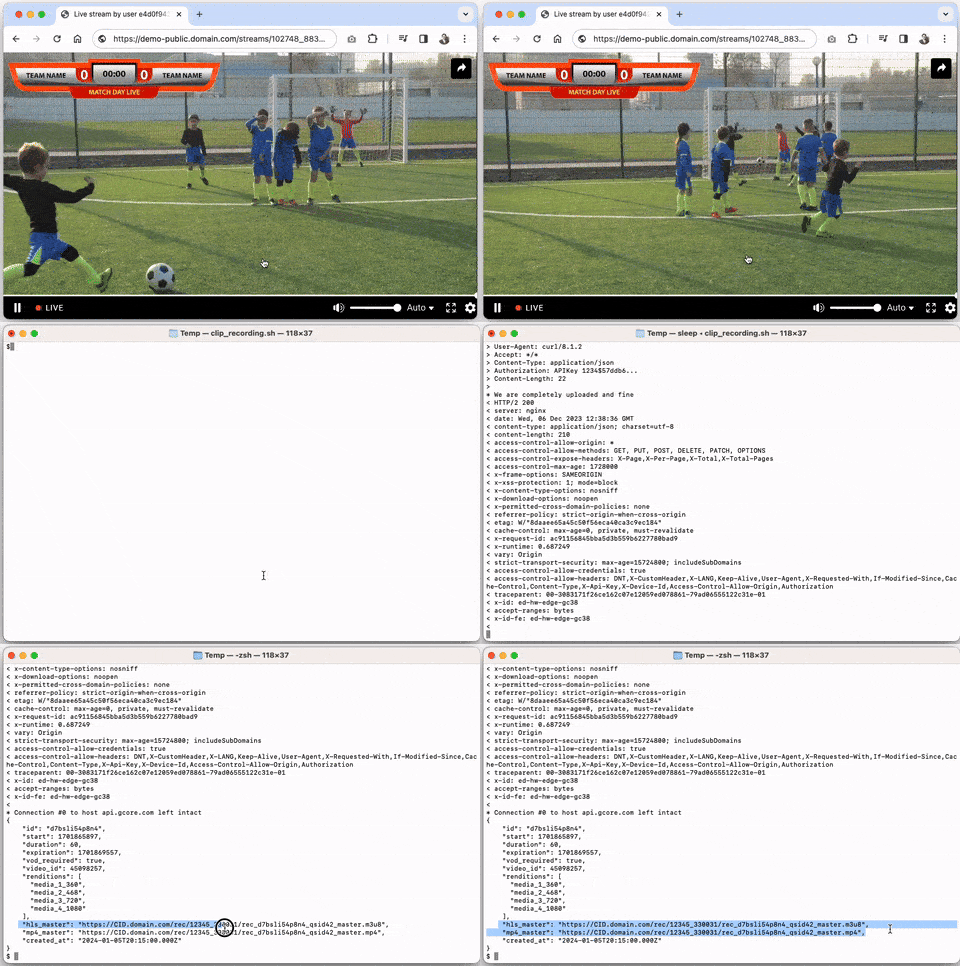
Create an instant clip from on-going live stream.
Instant clips are applicable in cases where there is no time to wait for the broadcast to be completed and recorded. For example, for quickly cutting highlights in sport events, or cutting an important moment in the news or live performance.
DVR function must be enabled for clip recording. If the DVR is disabled, the response will be error 422.
Instant clip becomes available for viewing in the following formats:
- HLS .m3u8,
- MP4,
- VOD in video hosting with a permanent link to watch video.
Clip lifetime:
Instant clips are a copy of the stream, created from a live stream. They are stored in memory for a limited time, after which the clip ceases to exist and you will receive a 404 on the link.
Limits that you should keep in mind:
-
The clip’s lifespan is controlled by
expirationparameter. -
The default expiration value is 1 hour. The value can be set from 1 minute to 4 hours.
-
If you want a video for longer or permanent viewing, then create a regular VOD based on the clip. This way you can use the clip’s link for the first time, and immediately after the transcoded version is ready, you can change by yourself it to a permanent link of VOD.
-
The clip becomes available only after it is completely copied from the live stream. So the clip will be available after
start + durationexact time. If you try to request it before this time, the response will be error code 425 “Too Early”.
Cutting a clip from a source:
In order to use clips recording feature, DVR must be enabled for a stream: “dvr_enabled: true”. The DVR serves as a source for creating clips:
-
By default live stream DVR is set to 1 hour (3600 seconds). You can create an instant clip using any segment of this time period by specifying the desired start time and duration.
-
If you create a clip, but the DVR expires, the clip will still exist for the specified time as a copy of the stream.
Getting permanent VOD:
To get permanent VOD version of a live clip use this parameter when making a request to create a clip: vod_required: true.
Later, when the clip is ready, grab video_id value from the response and query the video by regular GET /video/ method.
Authorizations
API key for authentication. Make sure to include the word apikey, followed by a single space and then your token.
Example: apikey 1234$abcdef
Path Parameters
Stream ID
Body
Requested segment duration in seconds to be cut.
Please, note that cutting is based on the idea of instantly creating a clip, instead of precise timing. So final segment may be:
- Less than the specified value if there is less data in the DVR than the requested segment.
- Greater than the specified value, because segment is aligned to the first and last key frames of already stored fragment in DVR, this way -1 and +1 chunks can be added to left and right.
Duration of cutted segment cannot be greater than DVR duration for this stream. Therefore, to change the maximum, use "dvr_duration" parameter of this stream.
Indicates if video needs to be stored also as permanent VOD
Starting point of the segment to cut.
Unix timestamp in seconds, absolute value.
Example: 24.05.2024 14:00:00 (GMT) is Unix timestamp = 1716559200
If a value from the past is specified, it is used as the starting point for the segment to cut. If the value is omitted, then clip will start from now.
Expire time of the clip via a public link.
Unix timestamp in seconds, absolute value.
This is the time how long the instant clip will be stored in the server memory and can be accessed via public HLS/MP4 links. Download and/or use the instant clip before this time expires.
After the time has expired, the clip is deleted from memory and is no longer available via the link. You need to create a new segment, or use vod_required: true attribute.
If value is omitted, then expiration is counted as +3600 seconds (1 hour) to the end of the clip (i.e. unix timestamp = <start> + <duration> + 3600).
Allowed range: 1m <= expiration <= 4h.
Example: 24.05.2024 14:00:00 (GMT) + 60 seconds of duration + 3600 seconds of expiration = 24.05.2024 15:01:00 (GMT) is Unix timestamp = 1716562860
Response
Successful
ID of the clip
Requested segment duration in seconds to be cut.
Please, note that cutting is based on the idea of instantly creating a clip, instead of precise timing. So final segment may be:
- Less than the specified value if there is less data in the DVR than the requested segment.
- Greater than the specified value, because segment is aligned to the first and last key frames of already stored fragment in DVR, this way -1 and +1 chunks can be added to left and right.
Duration of cutted segment cannot be greater than DVR duration for this stream. Therefore, to change the maximum, use "dvr_duration" parameter of this stream.
Creation date and time. Format is date time in ISO 8601
Indicates if video needs to be stored as VOD
ID of the created video if vod_required=true
List of available rendition heights
Link to HLS .m3u8 with immediate clip. The link retains same adaptive bitrate as in the stream for end viewers. For additional restrictions, see the description of parameter "mp4_master".
Link to MP4 with immediate clip. The link points to max rendition quality. Request of the URL can return:
- 200 OK – if the clip exists.
- 404 Not found – if the clip did not exist or has already ceased to exist.
- 425 Too early – if recording is on-going now. The file is incomplete and will be accessible after start+duration time will come.
Starting point of the segment to cut.
Unix timestamp in seconds, absolute value.
Example: 24.05.2024 14:00:00 (GMT) is Unix timestamp = 1716559200
If a value from the past is specified, it is used as the starting point for the segment to cut. If the value is omitted, then clip will start from now.
Expire time of the clip via a public link.
Unix timestamp in seconds, absolute value.
This is the time how long the instant clip will be stored in the server memory and can be accessed via public HLS/MP4 links. Download and/or use the instant clip before this time expires.
After the time has expired, the clip is deleted from memory and is no longer available via the link. You need to create a new segment, or use vod_required: true attribute.
If value is omitted, then expiration is counted as +3600 seconds (1 hour) to the end of the clip (i.e. unix timestamp = <start> + <duration> + 3600).
Allowed range: 1m <= expiration <= 4h.
Example: 24.05.2024 14:00:00 (GMT) + 60 seconds of duration + 3600 seconds of expiration = 24.05.2024 15:01:00 (GMT) is Unix timestamp = 1716562860